Google Search is changing faster than ever.
For years, searching on Google meant typing a question and clicking through multiple websites to find the answer. But now, Google is introducing a new AI-powered search experience called Google AI Mode, designed to give users faster, smarter, and more direct answers right inside search results.
This update is important not only for regular users but also for bloggers, SEO experts, businesses, and content creators. As AI-generated search summaries become more common, the way websites get traffic and visibility is also changing.
In this guide, you’ll learn:
- What Google AI Mode actually is
- How it works
- Whether it’s available in India
- How it compares to other AI tools
- Its impact on SEO and website traffic
- What content creators should do next
Businesses and content creators should start preparing for AI-driven search experiences by improving their SEO foundations and creating more helpful content.
If you’re confused about Google’s AI search future, this article will explain everything in simple and practical language.
Table of Contents
What Is Google AI Mode?
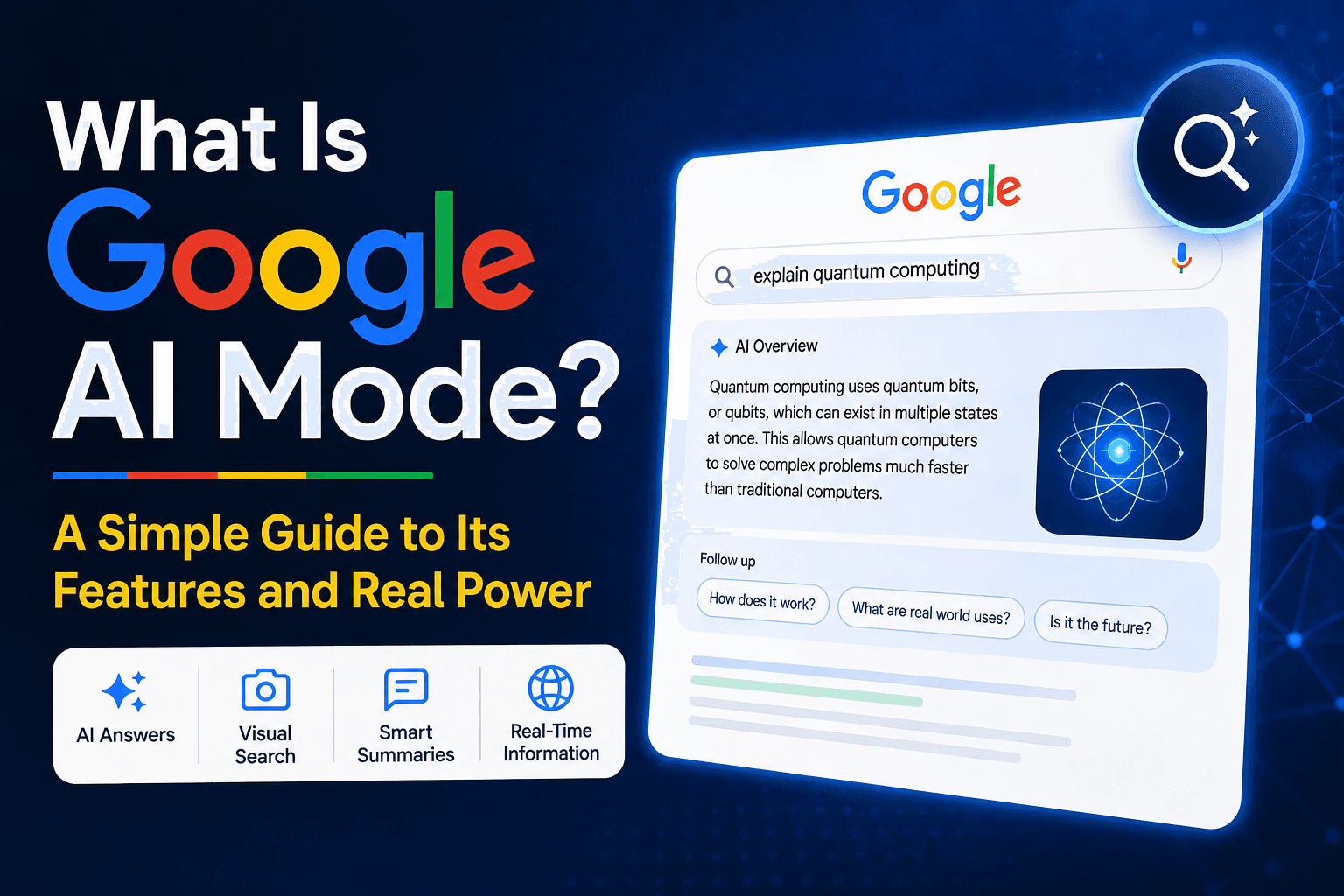
Google AI Mode is an AI-powered search experience that uses generative artificial intelligence to provide direct answers, summaries, and follow-up suggestions inside Google Search.
Instead of only showing traditional blue links, Google now tries to understand your query and generate a quick, conversational response at the top of the results page.
This feature is part of Google’s broader AI search initiative, previously introduced as Search Generative Experience (SGE).
For example, if you search:
“Best beginner camera for YouTube”
Google AI Mode may instantly generate:
- A summarized answer
- Product suggestions
- Buying tips
- Comparison insights
- Follow-up questions
All before you even click a website.
Why This Matters
People’s interactions with search engines have changed because of this.
Users can now get:
- Faster answers
- More personalized results
- Better context
- Interactive follow-up suggestions
- Visual and AI-powered search assistance
For website owners and SEO professionals, this means content quality and structure matter more than ever.
Why Google AI Mode Is Important
Google AI Mode is not just another small search update.
It represents a major shift in how information is delivered online.
1. Search Is Becoming More Conversational
People are now searching using natural language instead of short keywords.
Instead of typing:
“best laptop under 50000”
Users may ask:
“Which laptop is best for students under ₹50,000 with good battery life?”
AI Mode is designed to understand these conversational queries better.
2. Users Want Faster Answers
Most people don’t want to open 10 tabs anymore.
AI summaries help users quickly understand a topic without reading multiple pages.
This improves user experience but also changes website traffic patterns.
3. SEO Is Changing
Traditional SEO focused heavily on rankings and clicks.
Now, content also needs to be:
- AI-readable
- Well-structured
- Helpful
- Context-rich
- Easy to summarize
Websites with shallow or poorly organized content may struggle in AI-driven search.
4. Visual Search Is Expanding
Google is combining AI with visual search using tools like Google Lens.
Users can now:
- Upload images
- Take photos
- Ask questions about objects
- Get AI-generated explanations
This makes search more interactive than ever before.
How We Reviewed Google AI Mode
To create this guide, we analyzed:
- Google’s official AI search announcements
- Search Labs features
- Real user experiences
- AI overview of behavior in search
- SEO industry discussions
- Comparisons with tools like Perplexity AI and ChatGPT
We focused on:
| Review Criteria | Why It Matters |
| Ease of Use | Beginner-friendly experience |
| Search Accuracy | Quality of AI answers |
| Real-Time Information | Freshness of data |
| SEO Impact | Website traffic implications |
| User Experience | Speed and clarity |
| Accessibility | Availability in different countries |
| Visual Search Support | Camera and Lens integration |
The goal was to explain the feature practically, not just technically.
Google AI Mode vs Other AI Tools
| Feature | Google AI Mode | ChatGPT | Perplexity AI | Gemini |
| Integrated with Search | Yes | No | Partial | No |
| Real-Time Web Results | Yes | Limited | Yes | Yes |
| Visual Search Support | Strong | Limited | Limited | Moderate |
| Free to Use | Yes | Mostly | Yes | Mostly |
| Source Links | Yes | Sometimes | Yes | Sometimes |
| Search Experience | Native Google Search | Chatbot | AI Search Engine | AI Assistant |
| Ads Integration | Yes | No | Minimal | No |
| Best for Everyday Search | Excellent | Good | Good | Good |
| Follow-Up Questions | Yes | Yes | Yes | Yes |
| SEO Impact | High | Medium | Medium | Medium |
Key Features of Google AI Mode
AI-Powered Summaries – Best for Quick Answers
One of the biggest features of Google AI Mode is its ability to generate summarized answers directly inside search results.
Instead of reading multiple articles, users can quickly understand a topic within seconds. This is especially useful for informational searches like tutorials, comparisons, definitions, or product recommendations.
What makes this feature stand out is speed. Google combines traditional search indexing with generative AI to produce instant overviews while still linking to source websites.
However, summaries are not always perfect. Sometimes AI-generated responses may oversimplify complex topics or miss important context.
Key Features
- AI-generated search summaries
- Quick topic explanations
- Source website links
- Follow-up search suggestions
- Conversational search experience
👉 Best for: Everyday users looking for faster answers
Real-Time Information – Best for Fresh Results
Unlike many AI chatbots that rely heavily on pre-trained datasets, Google AI Mode can pull live information directly from the web.
This means users can get updated information about:
- News
- Trends
- Product launches
- Sports
- Weather
- Current events
In our experience, this gives Google a major advantage because freshness matters in search.
However, real-time AI summaries can still occasionally display incomplete or evolving information during breaking events.
Key Features
- Live web indexing
- Updated search information
- Dynamic answer generation
- Current trend analysis
- Fresh search results
👉 Best for: Users needing recent and updated information
Google Lens Integration – Best for Visual Search
Google AI Mode is also expanding visual search capabilities through Google Lens.
Instead of typing questions, users can now take a picture and ask Google about:
- Products
- Landmarks
- Documents
- Plants
- Gadgets
- Clothing
What makes this feature different is the combination of image recognition and generative AI explanations.
For example, you can photograph a gadget and ask:
“What is this device used for?”
Google AI can instantly identify and explain it.
However, visual search accuracy still depends on image quality and object recognition.
Key Features
- Camera-based AI search
- Google Lens integration
- Image understanding
- AI-generated visual explanations
- Context-aware responses
👉 Best for: Mobile users and visual learners
AI Search Tab – Best for Dedicated AI Search Experience
Google is testing a separate AI tab inside search results.
This allows users to switch between:
- Traditional search results
- AI-generated search experience
This is important because not every user wants AI-generated answers all the time.
The separate tab may help users choose their preferred search style more easily.
However, the feature is still experimental in many regions.
Key Features
- Dedicated AI search tab
- Easy switching experience
- Cleaner search interface
- Experimental AI environment
- Better navigation options
👉 Best for: Users who prefer AI-first search results
AI-Powered Ads – Best for Businesses & Advertisers
Google has confirmed that advertisements will remain part of AI-powered search experiences.
Sponsored content may appear:
- Inside AI summaries
- Alongside AI responses
- Within shopping recommendations
What makes this important is that businesses will likely need to adapt their advertising strategies for AI-based search layouts.
However, Google says ads will remain clearly labeled to maintain transparency.
Key Features
- Sponsored AI search placements
- AI-integrated advertising
- Search monetization
- Product recommendation ads
- Transparent ad labeling
👉 Best for: Businesses and digital advertisers
Best by Use Case
| Use Case | Best Feature |
| Beginners | AI-generated summaries |
| Mobile Users | Google Lens integration |
| Bloggers | Source link visibility |
| SEO Professionals | AI search analysis |
| Businesses | AI ads integration |
| Students | Quick learning summaries |
| Researchers | Real-time information |
| Everyday Users | Conversational search |
How Google AI Mode Works
Google AI Mode combines multiple advanced technologies together.
1. Machine Learning
Google analyzes massive amounts of data to understand patterns and user behavior.
This helps improve answer quality over time.
2. Natural Language Processing (NLP)
NLP helps Google understand conversational queries more naturally.
Instead of matching keywords only, it tries to understand user intent.
3. Generative AI
This technology creates summarized responses using information gathered from multiple sources.
It helps generate:
- Explanations
- Comparisons
- Summaries
- Suggestions
4. Context Awareness
Google AI Mode remembers the context of your query and suggests related follow-up questions.
This creates a more interactive search experience.
How to Prepare for Google AI Search as a Content Creator
If you own a website or blog, this update matters a lot.
Focus on Helpful Content
Google AI favors content that directly answers user questions clearly.
Avoid thin or overly generic articles.
Use Proper Structure
Well-structured content is easier for AI systems to understand.
Use:
- Clear headings
- Bullet points
- Short paragraphs
- FAQ sections
- Comparison tables
Improve Topical Authority
Instead of publishing random articles, build strong content clusters around your niche.
This improves trust and expertise signals.
Add Real Experience
Google increasingly values original insights and practical experience.
In our experience, firsthand examples often perform better than generic AI-written content.
Final Thoughts
Google AI Mode is shaping the future of online search.
Instead of only showing lists of websites, Google is moving toward a smarter, faster, and more conversational search experience powered by artificial intelligence.
For users, this means better answers and less effort.
For businesses, bloggers, and SEO professionals, it means adapting content strategies for AI-driven search visibility.
The good news is that helpful, well-structured, and trustworthy content still matters more than ever.
If you want to succeed in the AI search era, focus on:
- Clear answers
- Helpful information
- Strong content structure
- Real expertise
- User-focused writing
Because in the future of search, quality content will still win.
Websites with strong topical authority and proper technical optimization are more likely to perform well in future AI search experiences.
Frequently Asked Questions
Is Google AI Mode free?
Yes, Google AI Mode is currently free to use through Google Search and Search Labs where available.
Is Google AI Mode available in India?
Google has introduced some AI-powered search features in India, but full AI Mode rollout is still limited and expanding gradually.
Will Google AI Mode reduce website traffic?
It may reduce clicks for simple informational searches, but high-quality websites can still receive strong traffic through source links and deeper content.
How is Google AI Mode different from ChatGPT?
Google AI Mode is integrated directly into Google Search and focuses heavily on live web results, while tools like OpenAI’s ChatGPT work more like conversational AI assistants.
Can Google AI Mode answer visual questions?
Yes. Through integration with Google Lens, users can search using images and receive AI-generated explanations.